Search

Applied Biosystems™
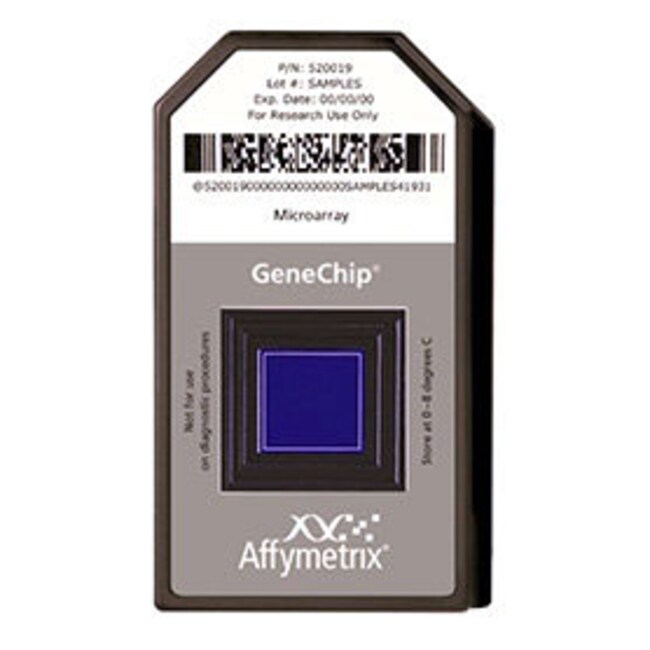
GeneChip™ Human Genome U133A 2.0 Array
Human Genome U133A 2.0 Array는 인간 생물학과 질병 과정을 탐색하는 데 사용할 수 있도록 특성이 잘 규명된 인간 유전자 14,500개를자세히 알아보기
Have Questions?
보기 방식 변경

| 카탈로그 번호 | 어레이 수 |
|---|---|
| 900469 | 30 arrays |
| 900471 | 2 arrays |
| 900468 | 6 arrays |
카탈로그 번호 900469
제품 가격(KRW)
25,769,000
Each
어레이 수:
30 arrays
제품 가격(KRW)
25,769,000
Each
Human Genome U133A 2.0 Array는 인간 생물학과 질병 과정을 탐색하는 데 사용할 수 있도록 특성이 잘 규명된 인간 유전자 14,500개를 대표하는 단일 어레이입니다. 배선폭이 감소한 최신 설계가 적용되어 성능 저하 없이 이전 HG-U133 Array보다 더 작은 시료 부피를 사용할 수 있습니다.
• 단일 어레이에서 전사된 인간 게놈에 포함된 잘 검증된 유전자에 대한 포괄 범위 제공
• 특성이 잘 규명된 14,500개의 인간 유전자를 포함하여 18,400개의 전사체 및 변이의 발현 수준 분석
• 22,000개 이상의 프로브 세트와 500,000개의 서로 다른 올리고뉴클레오티드 형태로 구성
• 프로브 세트의 강력한 기능으로 각 전사체에 대한 다수의 독립적 측정이 가능하고 모든 마이크로어레이 플랫폼에 대한 최고의 정확도와 재현성 제공
• Human Genome U133A Array에서 제공되는 모든 프로브 세트는 Human Genome U133A 2.0 Array
에서도 동일하게 적용어레이 프로파일
어레이 설계에 사용된 염기서열은 GenBank™, dbEST 및 RefSeq에서 선택되었습니다. 염기서열 군집은 UniGene 데이터베이스(버전 133, 2001년 4월 20일)에서 생성되었으며, 이후 Washington University EST 트레이스 저장소 및 University of California, Santa Cruz Golden-Path 인간 게놈 데이터베이스(2001년 4월 공표)를 포함하여 공개적으로 제공되는 여러 데이터베이스를 사용한 분석 및 비교를 통해 보완되었습니다.
기기 및 소프트웨어 요건
• GeneChip Scanner 3000 7G, 고해상도 스캐닝용*
• GeneChip Operating Software (GCOS) v1.1.1(GeneChip Scanner 3000 High-Resolution Scanning Patch 포함)
*GeneChip Scanner 3000 High-Resolution Update는 2003년 9월부터 납품되는 일련 번호 시리즈가 502인 모든 기기의 표준 사양입니다. 일련 번호 시리즈 501과 같은 이전 버전은 설치를 위해 GeneChip Scanner 3000 High-Resolution Update(카탈로그 번호 00-0110)가 필요합니다.
자세한 정보는 데이터 시트(pdf, 169 Kb)에서 확인하십시오.
• 단일 어레이에서 전사된 인간 게놈에 포함된 잘 검증된 유전자에 대한 포괄 범위 제공
• 특성이 잘 규명된 14,500개의 인간 유전자를 포함하여 18,400개의 전사체 및 변이의 발현 수준 분석
• 22,000개 이상의 프로브 세트와 500,000개의 서로 다른 올리고뉴클레오티드 형태로 구성
• 프로브 세트의 강력한 기능으로 각 전사체에 대한 다수의 독립적 측정이 가능하고 모든 마이크로어레이 플랫폼에 대한 최고의 정확도와 재현성 제공
• Human Genome U133A Array에서 제공되는 모든 프로브 세트는 Human Genome U133A 2.0 Array
에서도 동일하게 적용어레이 프로파일
어레이 설계에 사용된 염기서열은 GenBank™, dbEST 및 RefSeq에서 선택되었습니다. 염기서열 군집은 UniGene 데이터베이스(버전 133, 2001년 4월 20일)에서 생성되었으며, 이후 Washington University EST 트레이스 저장소 및 University of California, Santa Cruz Golden-Path 인간 게놈 데이터베이스(2001년 4월 공표)를 포함하여 공개적으로 제공되는 여러 데이터베이스를 사용한 분석 및 비교를 통해 보완되었습니다.
기기 및 소프트웨어 요건
• GeneChip Scanner 3000 7G, 고해상도 스캐닝용*
• GeneChip Operating Software (GCOS) v1.1.1(GeneChip Scanner 3000 High-Resolution Scanning Patch 포함)
*GeneChip Scanner 3000 High-Resolution Update는 2003년 9월부터 납품되는 일련 번호 시리즈가 502인 모든 기기의 표준 사양입니다. 일련 번호 시리즈 501과 같은 이전 버전은 설치를 위해 GeneChip Scanner 3000 High-Resolution Update(카탈로그 번호 00-0110)가 필요합니다.
자세한 정보는 데이터 시트(pdf, 169 Kb)에서 확인하십시오.
For Research Use Only. Not for use in diagnostic procedures.
사양
제품라인GeneChip
수량30 arrays
유형Human Genome U133A 2.0 Array
어레이Transcriptome Profiling
형식Array Cartridge
어레이 수30 arrays
종Human
Unit SizeEach