Search

Applied Biosystems™
GeneChip™ Rat Genome 230 2.0 Assay
The GeneChip™ Rat Genome 230 2.0 Assay is a powerful tool for toxicology, neurobiology, and other applications using rat asMás información
Have Questions?
Cambiar vista

| Número de catálogo | Número de arrays |
|---|---|
| 902492 | 10 matrices |
| 902493 | 30 matrices |
Número de catálogo 902492
Precio (MXN)
-
Número de arrays:
10 matrices
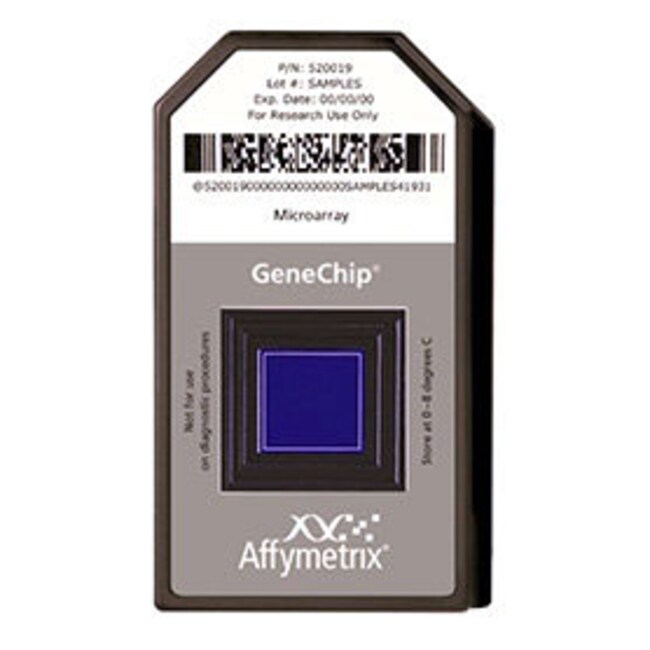
The GeneChip™ Rat Genome 230 2.0 Assay is a powerful tool for toxicology, neurobiology, and other applications using rat as a model organism.
• Provides comprehensive coverage of the transcribed rat genome on a single array
• Comprised of more than 31,000 probe sets, analyzing over 30,000 transcripts and variants from over 28,000 well-substantiated rat genes
• Sophisticated bioinformatics tools available through the NetAffx™ Analysis Center to rapidly obtain biologically meaningful results
• Publicly available drafts of the rat genome and leading public rat databases were used to refine sequences and provide a higher quality of data output
Assay Profile
All probe sets represented on the GeneChip Rat Expression Set 230 are included on the GeneChip Rat Genome 230 2.0 Assay. Sequences used in the design of the GeneChip Rat Genome 230 2.0 Assay were selected from GenBank™, dbEST, and RefSeq. The sequence clusters were created from the UniGene database (Build 99, June 2002) and then refined by analysis and comparison with the publicly available draft assembly of the rat genome from the Baylor College of Medicine Human Genome Sequencing Center (June 2002).
The GeneChip Rat Genome 230 2.0 Assay includes representation of the RefSeq database sequences and probe sets related to sequences and refined EST clusters previously represented on the GeneChip Rat Genome U34 Set.
Oligonucleotide probes complementary to each corresponding sequence are synthesized in situ on the arrays. Eleven pairs of oligonucleotide probes are used to measure the level of transcription of each sequence represented on the GeneChip Rat Genome 230 2.0 Assay.
• Provides comprehensive coverage of the transcribed rat genome on a single array
• Comprised of more than 31,000 probe sets, analyzing over 30,000 transcripts and variants from over 28,000 well-substantiated rat genes
• Sophisticated bioinformatics tools available through the NetAffx™ Analysis Center to rapidly obtain biologically meaningful results
• Publicly available drafts of the rat genome and leading public rat databases were used to refine sequences and provide a higher quality of data output
Assay Profile
All probe sets represented on the GeneChip Rat Expression Set 230 are included on the GeneChip Rat Genome 230 2.0 Assay. Sequences used in the design of the GeneChip Rat Genome 230 2.0 Assay were selected from GenBank™, dbEST, and RefSeq. The sequence clusters were created from the UniGene database (Build 99, June 2002) and then refined by analysis and comparison with the publicly available draft assembly of the rat genome from the Baylor College of Medicine Human Genome Sequencing Center (June 2002).
The GeneChip Rat Genome 230 2.0 Assay includes representation of the RefSeq database sequences and probe sets related to sequences and refined EST clusters previously represented on the GeneChip Rat Genome U34 Set.
Oligonucleotide probes complementary to each corresponding sequence are synthesized in situ on the arrays. Eleven pairs of oligonucleotide probes are used to measure the level of transcription of each sequence represented on the GeneChip Rat Genome 230 2.0 Assay.
For Research Use Only. Not for use in diagnostic procedures.
Especificaciones
Para utilizar con (aplicación)Microarray Analysis
Línea de productosGeneChip
Cantidad10 reactions
matriz, red, conjuntoTranscriptome Profiling
FormatoArray Cartridge
Número de arrays10 matrices
EspecieRat
Unit SizeEach