Search
.png)
On this page:
Shared features of Countess 3 automated cell counters
Powered by advanced machine-learning algorithms, the Countess 3 and Countess 3 FL automated cell counters deliver accurate, reproducible results—consistently across replicates, users, and instruments, even with challenging samples.
Accurate and precise cell counts
The Countess 3 (brightfield) and Countess 3 FL (brightfield and fluorescence) automated cell counters help deliver the accuracy, precision, and reproducibility researchers expect from automated systems. Powered by deep learning-based artificial intelligence, the Countess 3 instruments were trained by experienced cell biologists using hundreds of plates containing dozens of cell types and sample conditions. The result is a system that effectively “thinks” like a cell biologist when identifying and counting cells.
In validation studies, the Countess 3 automated cell counters demonstrate low coefficients of variation (CVs) across both technical and biological replicates, whether performing repeated counts on the same instrument (Figure 3) or performing counts across multiple instruments (Figure 4). This high reproducibility allows you to count with confidence.
This intelligent analysis helps deliver reliable counts for the most challenging samples such as peripheral blood mononuclear cells (PBMCs), clumpy cells, and debris-containing samples. The high-resolution Countess display lets you clearly see which cells are counted—and which particles are excluded.
Compared to manual hemocytometer counting, automated counting with the Countess 3 automated cell counters helps reduce variability caused by operator subjectivity, counting area differences, and difficult samples (Figures 1–2). The result: accurate, reproducible counts without the cost or training required for flow cytometry.

Figure 1. Machine-learning algorithms result in highly accurate cell counts, comparable with flow cytometer counts. CHO-K1, HeLa, HEK293, Jurkat, and human PBMCs (across a range of sizes) were counted using the Attune NxT Flow Cytometer (purple bars), a Countess 3 FL Automated Cell Counter (red bars), and a hemocytometer and microscope (manual counting, gray bars). The Countess 3 FL instrument and hemocytometer bars represent an average of 6 independent counts and are highly consistent. Error bars (standard deviation for the counts) are wider for manual counts than for Countess 3 counts or flow cytometry.

Figure 2. User variability decreased when using Countess 3 Automated Cell Counter compared to counting with a hemocytometer. A single sample of CHO K1, HeLa, HEK293, Jurkat, and PBMC cells were counted by three different operators using a Countess 3 Cell Counter and then manually with a hemocytomer and microscope. The user-to-user variability when using a hemocytometer is much higher, 20–50% standard deviation, than when using a Countess 3 cell counter, 10% or lower standard deviation.

Figure 3. Accuracy and precision in the same instrument. Seven cell types were stained and counted using the same protocols and reagents, in triplicate, on the same instrument with both technical and biological replicates. The low coefficient of variation (CV) for technical replicates (<2%) indicates high measurement precision when the same slide is counted repeatedly. In contrast, CVs of ~11% for biological replicates of the same sample reflect variability introduced during sample handling and preparation, including pipetting inconsistency, incomplete mixing, and changes in cell viability between measurements.

Figure 4. Accuracy and precision between instruments. Seven cell types were stained and counted using the same protocols and colorimetric reagents and analyzed on three different instruments. The coefficient of variation (CV) of ~5% across instruments indicates a high degree of precision between instruments. Minor variability arises because each instrument captures slightly different fields of view on the same slide as shown in the images. Overlapping regions (red box) and identical cells (red arrows) are shown for reference, while non-overlapping areas contribute to small differences in total cell counts and resulting concentration.
Fast and simple cell count and viability
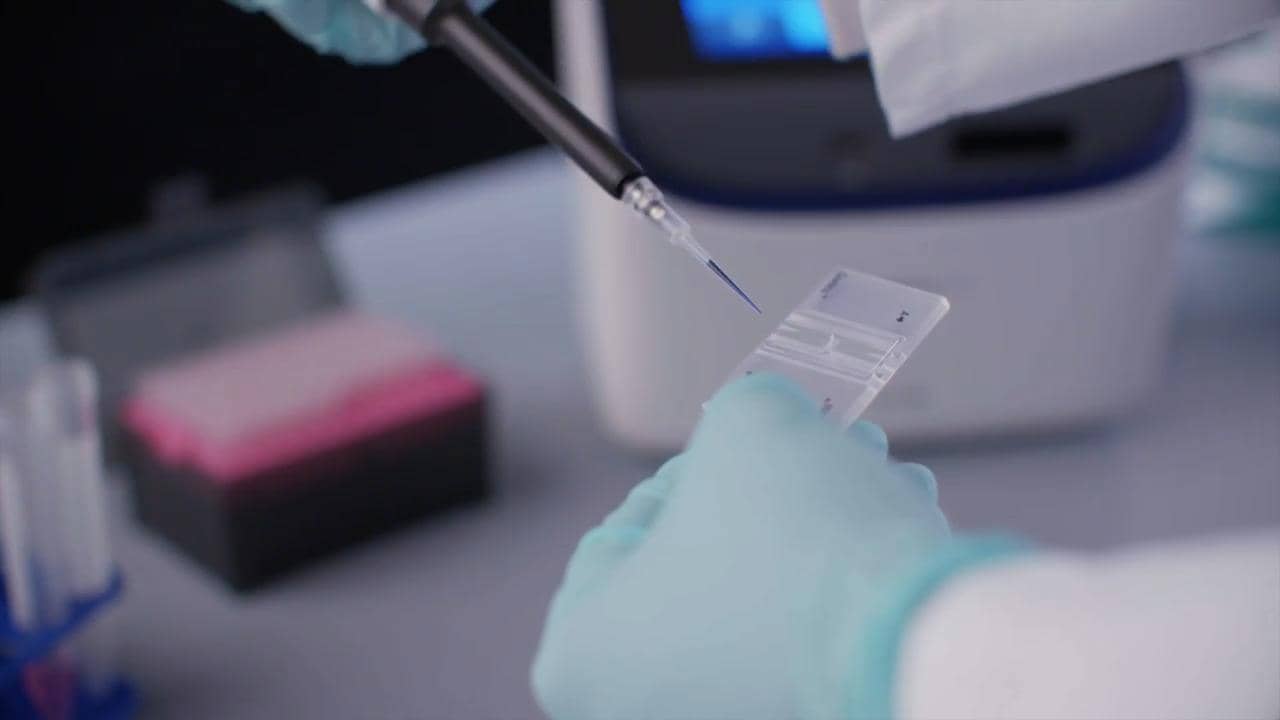
Time spent in the cell culture lab is precious. Countess 3 automated cell counters produce results in less than 30 seconds, allowing you to get in and out quickly with minimal training. With rapid capture, auto-lighting, autofocus, and autosave, you simply prepare the slide, enable Rapid Capture and Autosave, and insert the slide. The instrument does the rest automatically: illuminate, focus, and count. When viability stains such as SafeCount Cell Viability Stain are used, Countess 3 automated cell counters automatically report viability and concentration results as well.
In addition to speed, Countess 3 automated cell counters streamline the process of cell counting, eliminating many of the tedious steps associated with manual cell counting, including lighting and focus adjustments, calculating cell concentrations, and preparing reports. The time saved can mount quickly. If your lab counts five slides per day, you can save 10–15 hours per month (depending on the choice of slides). If you count 25 slides per day, you can save 50–75 hours.
For low-throughput users (using 5 slides per day), consider the Countess Reusable Slide to save 7.2 kg of waste per year compared to the disposable slides used with other automated cell counters.
| Step 1 | Step 2 | Step 3 |
|
|
|
| Mix equal parts sample with Trypan Blue or SafeCount Cell Viability Stain. Pipet 10 μL into a Countess disposable chamber slide or a reusable slide. | Enable “Rapid Capture” from the home screen. | Insert the slide into the instrument until it clicks into position. |


Comparison of manual hemocytometer to automated cell counting processes
The table below compares the hands-on steps required between a manual hemocytometer and Countess 3 automated cell counters. Countess instruments count cells faster in up to 50% fewer steps than manual counting with a hemocytometer. The time saved is significant when using the Countess Reusable Slide and even more dramatic when using Countess disposable slides.
| Countess 3 Automated Cell Counter | ||
| Manual counting hemocytometer & microscope |
...with Countess Reusable Slide |
...with Countess Cell Counting Chamber Slides |
 |
 |
 |
|
|
|
|
|
|
|
|
|
Manual hemocytometer counting often requires a tradeoff between speed and accuracy—counting a smaller area (fewer squares) saves time but can increase variability. The Countess 3 Automated Cell Counter eliminates this compromise by analyzing a larger area (equivalent to nearly four squares), reducing the effects of uneven cell distribution to improve accuracy. The Countess 3 Automated Cell Counter delivers fast, consistent results without sacrificing data quality.

Counting area of manual vs automated cell counts. The counting area of Countess 3 instruments is about 3.8 times larger than a standard hemocytometer.
Analysis features
Manages cell clumping and debris
Clumped cells can be challenging to count, manually or even with automated counters, because it’s difficult to discern borders between the cells. Samples that contain debris add further complexity to counting. Countess 3 automated cell counters automatically exclude debris from cell counts and their advanced algorithms can clearly identify cell boundaries within cell clumps, resulting in highly accurate cell counts.
Gating and histogram tools help ensure that only the cells of interest are included in the final count. By visualizing cell populations based on characteristics such as size, brightness, or circularity, users can quickly distinguish true cells from debris or other unwanted cells or debris. Interactive controls allow gating parameters to be adjusted in real time, with immediate visual feedback. This data-driven approach helps improve counting accuracy and increases confidence in cell counting results.

Advanced algorithms generate accurate counts with clumpy cells and sample debris. The Countess 3 FL Automated Cell Counter was used in brightfield mode to count U20S (human osteosarcoma) cells, which are both small and prone to clumping. The counting algorithm can reliably resolve the cells in the clumps and properly segment and count the cells. Live cells are outlined in green and dead cells in red. Aggregated cells are indicated by yellow ellipses. Debris (not outlined) is automatically omitted from counts.
Reports cluster analysis
In addition to identifying singlets within cell clumps, Countess 3 automated cell counters detect these cell clusters to further measure the total percent aggregation within a sample. The on-screen display uniquely distinguishes aggregates with a different color compared to the singlet cell to reflect the identification, and brightfield mode provides visual confirmation of cells within each aggregate.
Smart software for more confident cell counts
The Countess 3 software is designed to help scientists work more efficiently while maintaining confidence in their results. The Countess 3 FL Automated Cell Counter has a distinct counting algorithm to help ensure accuracy and confidence when counting in fluorescence (FL) mode.
The Countess 3 software also includes convenient, built-in pre-dilution and cell splitting calculators, which are especially convenient for helping save time and reducing errors in cell culture work.

Scatter plots show single cell data. In this scatter plot, the cell population is seen as Live (green) and Dead (red) populations. The axis’ can be changed between size and circularity.

Histograms help analyze cell populations. In this histogram, the cell population is graphed based on cell number and relative fluorescence units (RFU). Using the gating fields on the right with brightfield (BF), you can gate based on size, brightness, and circularity using the slider bar just to the left of the gating menu. If Texas Red (TX Red) or GFP is selected, gating of RFU intensity could be performed.

Pre-dilution calculator. If your cell sample was concentrated and you diluted it prior to counting, enter the sample and buffer volumes here and the pre-dilution calculator will automatically recalculate the sample concentration. The concentration will also account for the addition of stain viability measurements.

Cell splitting calculator. If you need a certain sample concentration for your downstream experiment, enter the desired concentration and volume here and Countess 3 cell counters will automatically calculate the amount of cell sample and buffer or cell culture media needed. Your cell count results are automatically included in the calculation.
Built-in concentration guidance for improved accuracy
An on-screen high/low concentration warning alerts users when a sample may fall outside the optimal counting range. This real-time feedback helps identify potential dilution issues before results are finalized, supporting more consistent counts and greater confidence in data quality, especially when working across varying sample concentrations.
Onboard protocols to accelerate setup—without limiting flexibility
Onboard counting protocols provide preconfigured starting points for common workflows, enabling faster setup and more consistent operation across users and workflows. While these preset protocols are designed to simplify routine counting and help provide a reliable starting point, they can be easily customized as needed. Because cell types and experimental conditions vary, these protocols should be used as guides rather than fixed rules. Users can fine-tune settings to best match their specific cells, helping ensure results remain optimized for each application.
Users can quickly create and save their own protocols by selecting the count mode and light cubes, then adjusting calculations and gating parameters as needed. The result is a simple, flexible workflow that supports consistent, reproducible cell counting across users and experiments.
| Step 1 | Step 2 | Step 3 |
|
|
|
| Select Protocols button on the Home screen to open protocols menu. Assign a preset or saved protocol or create a new protocol. | When creating a new protocol, select which light cubes will be used, if there are any calculations needed, and where the data should be saved. | The protocol used will be seen in the upper left corner of the screen. If there is a change to the protocol that is not saved, an asterisk* will appear. |


Saving results and reports
Easily save and access your data with flexible export and connectivity options. Cell count results, data, and images can be stored to a USB drive or uploaded to the Thermo Fisher Connect cloud platform using the Wi-Fi dongle—so your data is available when and where you need it.
Export results in CSV (spreadsheet-ready) or FCS (flow cytometry standard) formats, and save images as TIFF, PNG, or JPG files. For convenient documentation and sharing, users can also generate a printable PDF report that combines results, images, and instrument settings.


Cell lines verified on the Countess 3 automated cell counters
Explore the comprehensive list of cell lines verified using Countess 3 automated cell counters for performance insights and suitability for your research needs.
Cell line |
Organism |
Cell type |
3T3L1 |
Mouse |
Embryo |
769P |
Human |
Kidney |
786-O |
Human |
Kidney |
8A3B.6 |
Mouse |
Lymphocyte |
A375 |
Human |
Epithelial |
A431 |
Human |
Epithelial |
A549 |
Human |
Lung |
A673 |
Human |
Muscle |
ACHN |
Human |
Kidney |
ADSC |
Human |
Adipose |
AML12 |
Mouse |
Liver |
AML193 |
Human |
Blood |
AN3CA |
Human |
Uterus |
ARH77 |
Human |
Blood |
AsPC-1Carcinoma |
Human |
Pancreas |
B16F10 |
Mouse |
Epithelial |
BeWo |
Human |
Placenta |
BJ |
Human |
Epithelial |
BM-MSC |
Human |
Bone |
BPAE |
Bovine |
Smooth Muscle |
BT-549 |
Human |
Breast |
C2C12 |
Mouse |
Muscle |
C8D1A |
Mouse |
Brain |
CACO2 |
Human |
Intestine |
CAKI |
Human |
Kidney |
CAPAN |
Human |
Pancreas |
CAR-T |
Human |
Blood |
CHOK1 |
Hamster |
Ovary |
Colo205 |
Human |
Intestine |
Cos7 |
Monkey |
Kidney |
Daudi |
Human |
Blood |
DU145 |
Human |
Prostate |
EB2 |
Human |
Lymph Node |
EL4 |
Mouse |
Lymphoblast |
F9 |
Mouse |
Testis |
FaDu |
Human |
Pharynx |
GTL16 |
Human |
Stomach |
H1299 |
Human |
Lung |
H1975 |
Human |
Lung |
H4 |
Human |
Epithelial |
H9 |
Human |
Lymphocyte |
H9C2 |
Rat |
Heart |
HaCat |
Human |
Epithelial |
HAEC |
Human |
Aortic Endothelium |
HCASM |
Human |
Smooth Muscle |
HCT116 |
Human |
Intestine |
HEK293 |
Human |
Kidney |
HEL 92.1.7 |
Human |
Bone Marrow |
HeLa |
Human |
Cervix |
HepG2 |
Human |
Liver |
HL60 |
Human |
Blood |
HMC3 |
Human |
Brain |
HMEC-1 |
Human |
Endothelial |
HSKSM |
Human |
Muscle |
HT1080 |
Human |
Epithelial |
HT29 |
Human |
Intestine |
hTERT-RPE1 |
Human |
Epithelial |
Huh7D12 |
Human |
Liver |
Human Hepatocyte |
Human |
Liver |
Human PBMC |
Human |
Blood |
Human Splenocyte |
Human |
Spleen |
HuT78 |
Human |
Lymphocyte |
Huvec |
Human |
Endothelial |
IM9 |
Human |
Blood |
I-MEF |
Mouse |
Embryo |
IMR32 |
Human |
Adrenal Gland |
IMR90 |
Human |
Lung |
JEKO1 |
Human |
Blood |
JM1 |
Human |
Blood |
Jurkat |
Human |
Blood |
K562 |
Human |
Bone Marrow |
KARPAS |
Human |
Blood |
KASUMI |
Human |
Blood |
KATO-III |
Human |
Stomach |
KG1 |
Human |
Bone Marrow |
L6 |
Rat |
Muscle |
LNCAP |
Human |
Prostate |
LOVO |
Human |
Intestine |
M1 |
Human |
Macrophage |
MCF10A |
Human |
Breast |
MCF-7 |
Human |
Breast |
MDCK |
Dog |
Kidney |
MIAPACA2 |
Human |
Pancreas |
MJ |
Human |
Blood |
MMM |
Human |
Macrophage |
MOLT4 |
Human |
Lymphoblast |
Mouse Hepatocyte |
Mouse |
Liver |
Mouse PBMC |
Mouse |
Blood |
Mouse Spleen/T-cell Mix |
Mouse |
Spleen & Blood |
MV411 |
Human |
Macrophage |
NCCIT |
Human |
Mediastinum |
NCI-H1573 |
Human |
Lung |
NEURO2A |
Mouse |
Brain |
NIH3T3 |
Mouse |
Embryo |
NK92 |
Human |
Blood |
NMUMG |
Mouse |
Breast |
NSC |
Human |
Neural Stem Cell |
NSCLC-146 |
Human |
Lung |
NTERA2 |
Human |
Testis |
OVCAR3 |
Human |
Ovary |
P388D1 |
Mouse |
Lymphoblast |
PANC1 |
Human |
Pancreas |
PBMC |
Human |
Blood |
PC12 |
Rat |
Brain |
PC3 |
Human |
Prostate |
P-MEF |
Mouse |
Embryo |
RAJI |
Human |
Lymphocyte |
Ramos |
Human |
Blood |
Rat Hepatocyte |
Rat |
Liver |
RAW |
Mouse |
Macrophage |
RD |
Human |
Muscle |
Reh |
Human |
Lymphoblast |
RPMI8226 |
Human |
Blood |
RSC96 |
Rat |
Schwann Cell |
RT4 |
Human |
Bladder |
SaOS2 |
Human |
Bone |
SCC15 |
Human |
Tongue |
SHSY5Y |
Human |
Bone Marrow |
SIHA |
Human |
Uterus |
SJSA1 |
Human |
Bone |
SKBR-3 |
Human |
Breast |
SKES-1 |
Human |
Bone |
SKMEL-28 |
Human |
Skin |
SKMEL31 |
Human |
Skin |
SKMEL-5 |
Human |
Skin |
SKNAS |
Human |
Bone Marrow |
SKNMC |
Human |
Neuroblastoma |
SKNSH |
Human |
Bone Marrow |
SKOV3 |
Human |
Ovary |
SNU5 |
Human |
Stomach |
SP2/O |
Mouse |
Spleen |
SW480 |
Human |
Intestine |
SW620 |
Human |
Intestine |
T47D |
Human |
Breast |
T98G |
Human |
Brain |
TE4 |
Mouse |
Lymphocyte |
TF-1 |
Human |
Bone Marrow |
THP-1 |
Human |
Macrophage |
U118MG |
Human |
Brain |
U251MG |
Human |
Brain |
U2OS |
Human |
Bone |
U87MG |
Human |
Brain |
U937 |
Human |
Blood |
For Research Use Only. Not for use in diagnostic procedures.