Recipe Sequencer
Module for sequencing a recipe on each individual isolated label from a label field.
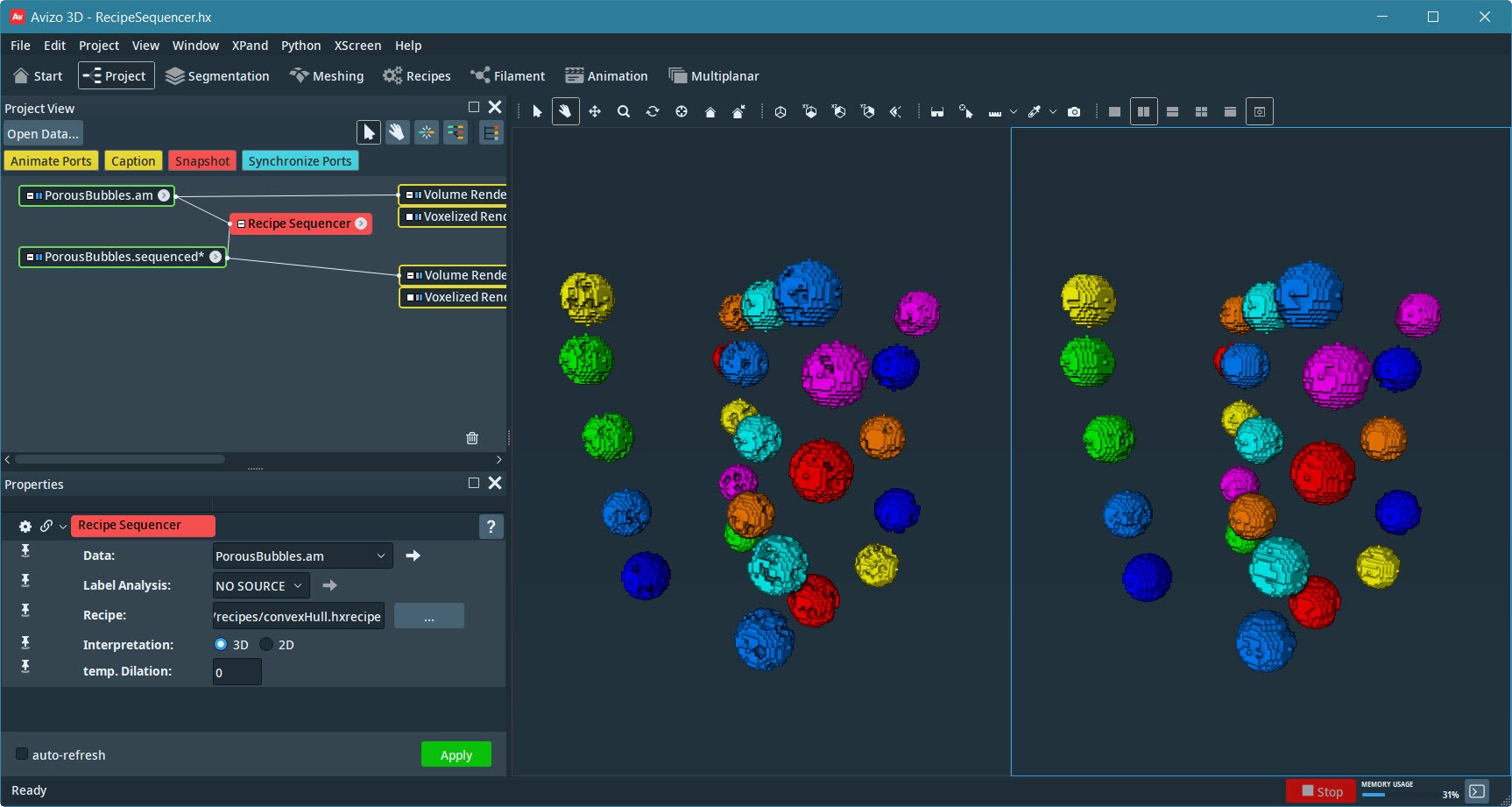
This module enables the application of a recipe to each individual label within a labelfield by iterating through the sequence label-by-label. Many segmentation and post-processing operations—such as convex hull generation—are meaningful only when applied to a single binary object. Executing the same workflow manually for multiple objects can therefore be cumbersome.
The core principle of the Recipe Sequencer is to iterate over all labels, in either 3D or 2D, and extract each label into a temporary working volume. The specified recipe is then applied to this working volume.
After execution, the processed result is either written back into the result volume while preserving the original label ID (“To memory”), or exported as individual files into a designated directory (“To disk”).
The module also provides an option to dilate the temporary label before applying the recipe. This can help mitigate edge-related artifacts that may arise when performing morphological operations. Additionally, users may supply a Label Analysis result table that includes each object’s extent. The following attributes must be present:
- BoundingBoxOx
- BoundingBoxOy
- BoundingBoxOz
- BoundingBoxDx
- BoundingBoxDy
- BoundingBoxDz
When this information is available, the module can skip the computation of label extents, resulting in improved performance.
The output is a label field object with the same number and material IDs of labels like the input.
The module can be found from the module finder, in the Xtra/Recipe folder. Test data (PorousBubbles.am) and two example recipes (ComplVolume.hxrecipe, convexHull.hxrecipe) are also provided.
Download a version compatible with Amira-Avizo 2022.1 HERE, 2022.2 HERE, 2023.1 HERE, 2023.2 HERE, 2024.2 HERE.
To obtain a version of this Xtra compatible with more recent versions of Amira-Avizo, please contact us via our Customer Support Center.